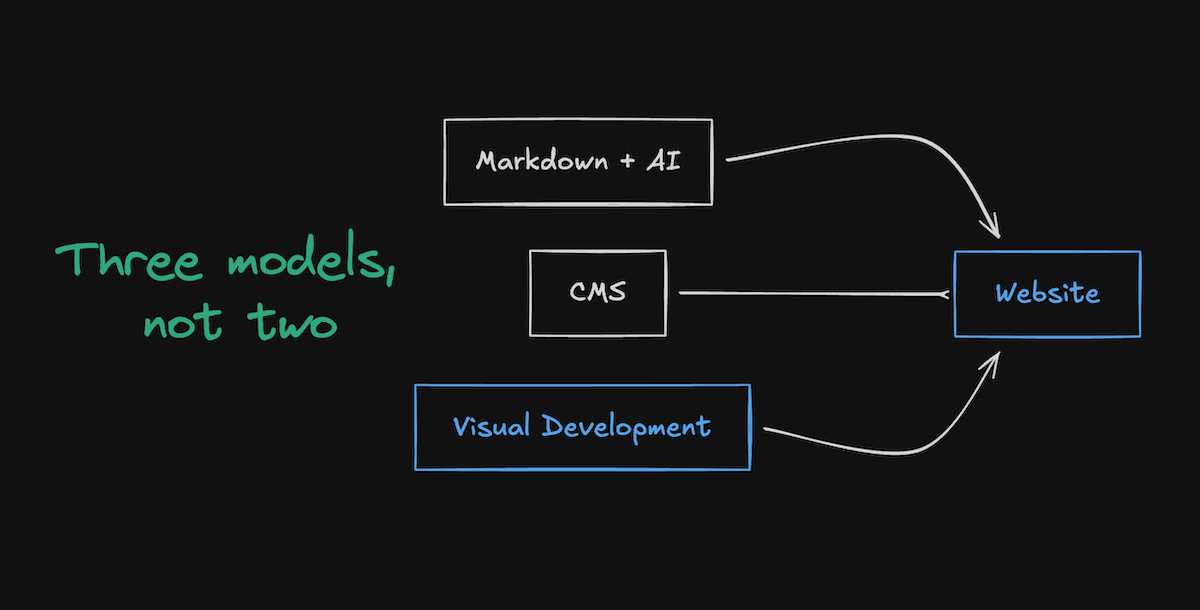
A debate surfaced over the weekend about whether teams still need a CMS at all. The idea is simple. If AI can draft content, migrate files, clean up structure, and commit everything to your repo, maybe you don’t need a content system. Everything becomes Markdown. Everything lives in Git. AI handles the busywork.
It’s a compelling argument for code-first teams.
But the real question is bigger.
Can an entire production website be built and maintained this way, or are there parts of a CMS that AI and Markdown still can’t replace?
And once you widen the scope to the whole website, a third option starts to matter too: visual development.
Here’s how these models actually compare.
The argument for Markdown and AI
Markdown has always been appealing to developers. It’s simple, local, versioned, and transparent. With AI acting on files the same way developers already do, a lot of friction disappears. You can:
- draft content in your editor
- use agents to clean up structure
- generate frontmatter
- fix formatting
- reorganize folders
- handle bulk changes
- commit and deploy without leaving your flow
For a fully technical team, this model feels clean. There are no CMS dashboards to maintain, no API layers to wire up, and no separate content environments to manage. Everything lives in one place, and automation handles the repetitive work. It’s a real advantage for teams that operate entirely in code. But it also assumes something important: every contributor works like a developer. And most websites aren’t run that way.
Where Markdown starts to fall short
Markdown works well when content is simple and the team is small. That’s why some engineering-led teams can run it without friction. But once a website becomes a system instead of a collection of documents, Markdown introduces gaps that aren’t obvious until you hit them.
Some websites genuinely don’t need structured content, workflows, localization, or a cross-functional editing model. If your site is simple and your team is entirely technical, Markdown can work fine. But if your website relies on these capabilities, getting them in a Markdown workflow means building and maintaining them yourself.

Here are the big ones.
1. No structured content model
Some sites don’t need schema-level modeling. Many do. Production sites often rely on:
- fields
- types
- relationships
- reusable fragments
- shared data across many surfaces
Markdown doesn’t enforce any of this. One missing field can break pages. One inconsistent value can break queries.
You can bolt on schema validation, but at that point you’re recreating parts of a CMS.
2. No safe editing environment
Markdown works for engineers. It doesn’t work for non-technical contributors. Even if AI generates the files, someone still ends up reviewing diffs or dealing with frontmatter.
Supporting broader teams means building:
- internal UIs
- guardrails around edits
- validation layers
Otherwise, you're asking non-technical contributors to operate in Git.
3. No preview tied to actual components
Some engineering teams already maintain strong preview systems. Most don’t.
Without one, a Markdown file can’t show:
- how a component renders
- how content interacts with layout
- how changes ripple across a page
You only see the real outcome after a build or preview deployment.
4. No built-in workflows
Websites need:
- approvals
- version history
- scheduling
- role-based access
- localization
- multi-surface consistency
Markdown doesn’t support this. Reproducing it means building bots, branch rules, and CI automation to simulate editorial workflows.
5. No shared space for collaboration
Markdown keeps contributors split across tools:
- developers in Git
- designers in Figma
- marketers in docs
- reviewers in comments elsewhere
There is no shared environment for the website itself. Markdown is simple until the website isn’t.
Can AI agents solve this gap?
AI agents can automate a lot inside a Markdown workflow. They can generate files, rewrite content, reorganize structure, migrate documents, clean up frontmatter, and handle several repetitive tasks developers used to own.
But agents don’t replace the systems that keep a full website consistent and safe.
To match what a CMS provides, AI agents would need to handle:
- schema enforcement
- field validation
- relationship modeling
- reference checks
- localization parity
- role-based permissions
- publishing controls
- approvals and sequencing
- preview environments
- multi-surface consistency
AI can help with pieces of this, but it can’t be the system.
To get all of these capabilities in a Markdown world, you’d need to build:
- your own schema engine
- your own validation pipeline
- your own preview pipeline
- your own workflow and approval model
- your own contributor UI
- your own localization framework
- your own content governance rules
- your own automation to prevent destructive edits
At that point, you’re not “avoiding a CMS.” You’ve built one. AI assists the work. It does not replace the infrastructure that coordinates it. This is the distinction most people miss.
The argument for a CMS
A CMS solves the problems Markdown can’t. It gives you structure, validation, workflows, and a safer way for non-technical contributors to manage content without touching code.
People don’t write inside the CMS. They publish inside the CMS.
That’s the important distinction.
Even if AI drafts and rewrites content, the CMS provides:
- a consistent schema
- a place to enforce rules
- a predictable workflow
- a safe environment to update live content
- a shared model for content relationships
- clear separation between editing and code
That’s why CMSs exist.
Not because writing is hard, but because maintaining content across teams requires structure that Markdown doesn’t provide on its own.
But CMSs are not perfect either. They can feel disconnected from the real site. They often separate content from layout. Editors can break things. API layers add overhead. Preview systems vary in quality.
So even though a CMS solves real coordination problems, it introduces friction in other areas.
This is why a third model matters.
The case for visual development
Visual development sits between Markdown and a CMS. It treats the website as a full system, not just content or code. It gives teams a shared environment with structure built in.
In a visual development model:
- developers define components, logic, and structure
- designers work directly in the real layout
- editors update content inside the same system
- schema and relationships stay consistent
- content and layout stay aligned
- AI operates with awareness of the actual components and fields
It removes the separation between:
- content and layout
- authors and developers
- code and preview
- structure and design
Markdown doesn’t provide this.
Headless CMSs rarely provide this.
And the role of AI changes completely in a visual development system. AI isn’t generating files in a vacuum. It works inside the actual structure of the site. That means:
- AI site builders generate real pages using real components
- AI visual editing adjusts layout, spacing, and structure with context
- AI app scaffolding uses actual data models and extension points
AI doesn’t sit on the side. It participates in the system.
Visual development builds the website as one environment instead of splitting it across tools.
This is the gap Webflow fills.
ℹ️ Some platforms even combine visual development with Git-based workflows, like Builder.io's Fusion approach, which shows there’s real demand for visual editing that still fits into an engineering-centric versioning model.
So what does a team lose moving from a CMS to Markdown?
You lose:
- schema enforcement
- relationship modeling
- predictable workflows
- safe editing environments
- shared context across teams
- reliable previews (unless you maintain your own preview system)
- localization pipelines
- role-based permissions
- structured publishing
- cross-page consistency
You can rebuild some of this, but now you’re maintaining a custom system that grows in complexity as your website grows.
What a team gains by going Markdown-first
You gain:
- full developer control
- simpler architecture
- fewer systems
- automation through agents
- transparency through Git
- lower overhead
It’s a strong option for small, fully technical teams with simple content needs and tight ownership over the site.
It’s not designed for companies with cross-functional contributors or evolving structure.
What visual development offers instead
Visual development isn’t trying to be Markdown. It isn’t trying to be a CMS either.
It offers:
- structure like a CMS
- flexibility like a codebase
- real layout context like a design tool
- shared collaboration across roles
- AI that works inside the true structure
- developer extension points when needed
It’s the only model where the website stays a single source of truth for everyone.
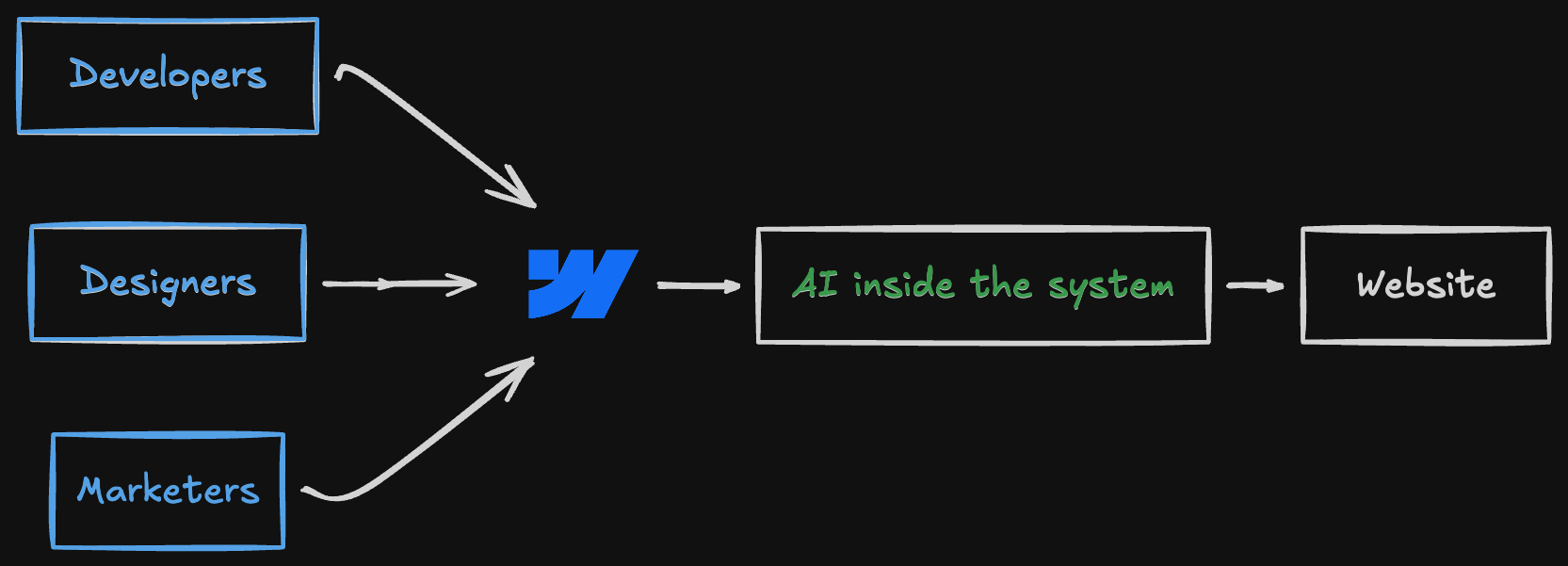
Developers keep control. Designers keep fidelity. Marketers keep clarity. AI doesn’t act blindly. That’s why visual development matters in this debate.
The simple way to think about it
Markdown + AI
Great when the team is fully technical and the site structure is simple.
CMS
Great when content structure, governance, and shared responsibility matter.
Visual development
Great when a website is treated as a unified system where design, content, development, and AI all work together with real context.